Flight Tracker
A physical device that helps identify planes that we can see from our balcony. Know where they are coming from and where they are going with the press of a button.
>< >< >< >< >< >< >< >< ><
We live in the perfect spot to view a popular flight path and have always wanted to know where certain flights were coming from and going to.
I’ve always wanted to build something using an Arduino, and thought this would be the perfect project to dip my toes in the hardware world.
This project is still a work in progress.
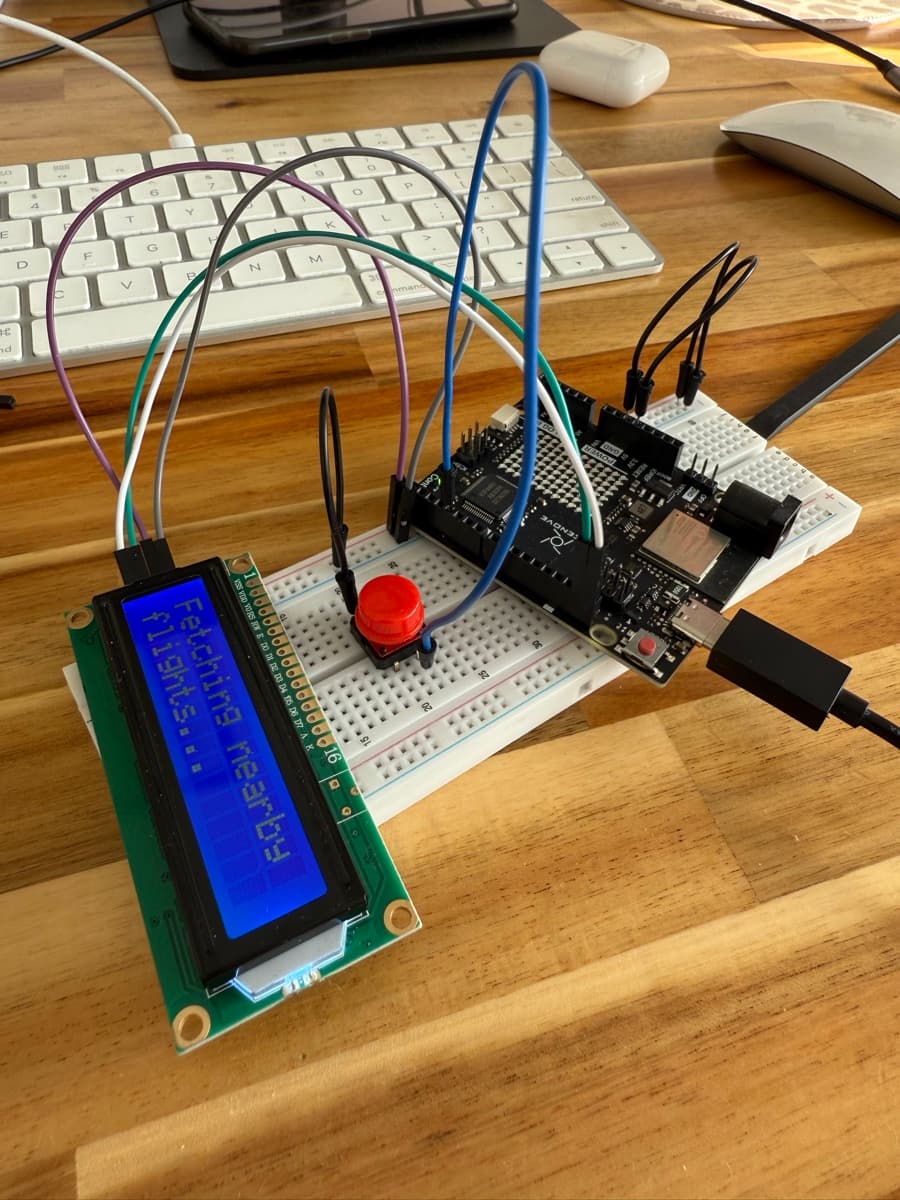
Hardware
This was my first time working with an Arduino. I chose to go with the Arduino Uno R4 WiFi. It’s a fairly inexpensive chip (~$50 AUD) that can connect to the internet with an ethernet cord. I wired it up to a button and a simple 2x16 LCD screen to display flight information.
Getting Flight Information
To get realtime flight information whenever the button is pressed I use the FlightRadar24 API. By providing a certain region to search within I can confidently assume that the plane I am looking at is the one that is returned. If there are multiple flights available in the searchable region it will rotate through all found flights.
Here is a demo of what the LCD renders (with fake flight data):
The Outcome
Here it is in action. The next thing to do for this project is to package it up nicely. I think some sort of frame that allows me to mount it to a wall somewhere would look nice and make it easily accessible to anyone wanting to use it.
You can find the code that the Arduino is running here: Flight Tracker (GitHub)
>< >< >< >< >< >< >< >< ><